


Knoxville News
3.1200.00 Reviews
App Specs
- Version
- 8.10.3
- Updated On
- License
- Free
- Downloads
- 50,000+
- Developer
- USA TODAY Co.
- Categories
- News & Magazines
- Platform
- Android
Screenshots
 Analysis by AppCompare
I approach local-news apps differently from general news readers: I want a quick way to understand what is happening nearby, but I also want to know what kind of relationship I am taking on when I install one. Knoxville News is a free news and magazines app from USA TODAY Co., built around Knoxville coverage alongside broader reporting. Its focus makes it most useful when local context matters to you, rather than when you simply want one feed covering every topic and place.
That focus is also a reason to be thoughtful. News apps can ask for attention through alerts, encourage sharing, and make it easy to keep reading long after you opened them for one story. I judge them not just by how quickly headlines appear, but by whether the reading experience suits my habits and whether the choices visible to me feel manageable. In this case, I would treat the app as a local-news option to explore at my own pace, not as an automatic replacement for every news source I use.
What the Knoxville focus means in practice
The most useful question before installing is simple: do Knoxville stories belong in your regular news routine? If you live in the area, have family or work connections there, or follow local events from elsewhere, a dedicated local app can make nearby reporting easier to find than it is in a broad national feed. If your interest is only occasional, you may prefer checking a general news reader or a browser when a particular local issue comes up.
For a realistic weekday use, I would open the app during breakfast, scan the local headlines, and choose one or two stories worth reading before moving on. That works better than treating every notification or headline as urgent. Local reporting can help explain a community decision or event in context; a national outlet may cover the same subject only when it has wider significance. The trade-off is that a local-first habit may not satisfy someone looking for deep coverage of an unrelated national or international topic.
Trust is about choices, not assumptions
I avoid guessing about an app’s privacy or permissions from its name, its publisher, or the fact that it carries news. A trustworthy assessment should come from the permission prompts and account or data controls actually shown while using it. I would read each prompt before approving it, consider whether the requested access makes sense for what I am doing, and decline anything I do not want to grant if the app still allows me to continue.
News reading can involve sensitive moments even when the subject is ordinary: you might look up a local health issue, a public controversy, or a story affecting someone you know. My practical approach is to keep the app’s role clear. I use it to read and evaluate reporting, rather than assuming that any personalization, sharing option, or alert setting is a privacy control. Before signing in or changing a setting, I would check the wording on screen and decide whether the benefit is worth the information or attention involved.
Who is likely to get the most from it
The app is aimed at a broad audience, with an Everyone 10+ content rating. It has been available since December 6, 2010, and its current version is 8.7.1, with Android support starting at version 8.0. It is free to download, though in-app purchases are listed at $19.99 to $69.99 per item. That makes it sensible to check any purchase screen carefully before confirming anything, especially if you only want to read occasional local stories.
Worth Reading Before You Choose

EA SPORTS FC Mobile 26 Is a Bigger Football Game, but It Takes Time

Flipboard Shows What News Apps Must Do Beyond the Feed

Switching to Android Auto Means Rethinking Your Driving Routine

Google Calendar Makes a Crowded Week Easier to Manage

Ludo King Makes the Most of the Minutes Between Plans

Baby Panda World Brings Quick Play to Modern Phones, but Its Game Library Feels Busy
Its average rating is 3.0 from 429 ratings, with 199 written reviews, and it has 50K+ installs. I see those figures as a prompt to try the experience for yourself rather than as a verdict: people use local-news apps for different reasons, and a moderate score can reflect expectations as much as the reporting itself. Give it a short trial focused on the stories you actually care about, then decide whether it earns a place on your home screen.
Getting Started with Knoxville News
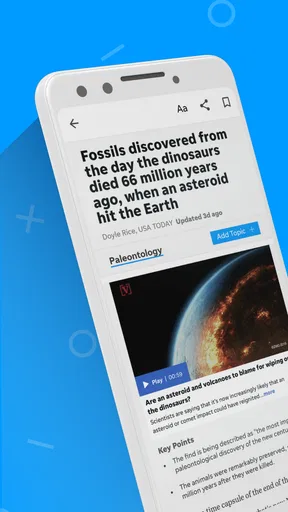
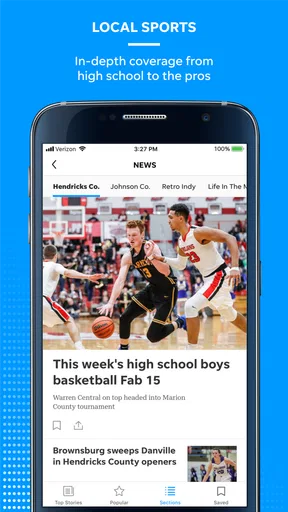
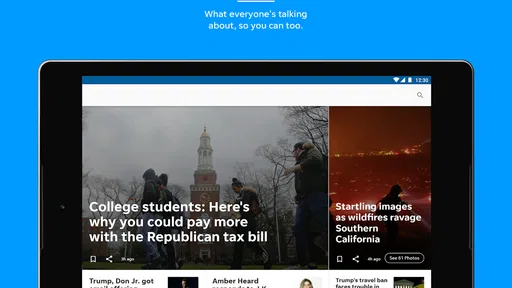
Installing Knoxville News was a breeze. Available on both Android and iOS, it took just a few taps, and voila, I was in! The app's interface is as intuitive as it gets. Right off the bat, you're greeted with a clean, well-organized homepage that showcases the latest headlines, top stories, and local news.
Features Worth Talking About
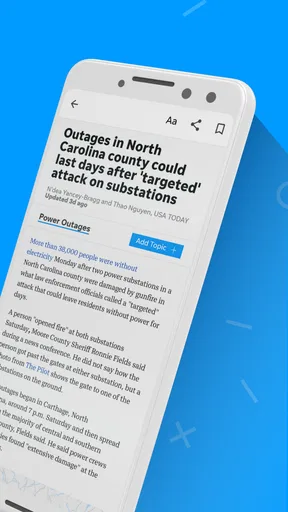
Diving into the app, the first thing you notice is how it categorizes news stories. Whether you're into sports, politics, entertainment, or community events, there's a section for you. The app also excels in delivering real-time updates. If something big happens, you'll be the first to know.
One of my favorite features is the push notifications. Now, I know what you’re thinking, "Not another app sending notifications every five minutes!" But here's the thing—they're super customizable. You can choose what types of news you want alerts for, and even set quiet hours. It's like having your cake and eating it too!
For a calmer routine, I would start by deciding whether I want the app to interrupt me at all. If alerts are useful, I would keep only the topics that genuinely need a timely nudge and reserve everything else for a deliberate check-in. Even when notification preferences are available, an alert is a prompt to read, not proof that a story is important to me. That small distinction helps keep breaking coverage from taking over the day.
User Experience and Design
The design of Knoxville News is sleek and modern. The developers clearly put a lot of thought into making sure the app is user-friendly. Navigation is smooth, and the layout is intuitive. Articles are easy to read, with just the right amount of images and text. Plus, the app loads quickly, so you’re not left waiting around.
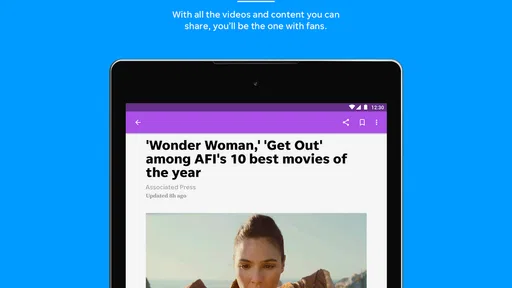
And for those who love sharing interesting tidbits, the app integrates seamlessly with social media platforms. You can easily share articles with friends or post them to your social media accounts with just a tap.
Sharing deserves a little care, particularly with local reporting, where a story may affect people you know personally. I would read beyond the headline before passing an article along and include enough context that a friend can tell what the story actually says. If a piece includes a strong claim or developing information, I would avoid presenting it as settled fact without checking the article itself. The convenience of a share button is useful, but it does not replace judgment.
Compared with a general-purpose news aggregator, a Knoxville-focused app has a clear advantage when you want local stories without first searching through a much wider stream. The aggregator may be better if you want to combine many publishers, follow a broader range of subjects, or compare how different outlets frame the same event. A newspaper website in a mobile browser can also be preferable for someone who wants occasional access without adding another app to a device. I would choose based on whether local discovery or breadth matters more to me.
Accessibility and Customization
Another highlight is the app’s accessibility features. There’s a night mode for those late-night reading sessions, and the text size can be adjusted to suit your preferences. It's these little touches that make the app stand out.
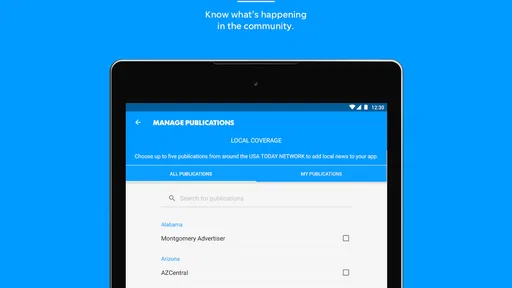
Customization doesn’t stop there. You can personalize your feed based on your interests. The more you use the app, the better it gets at delivering content that matches your tastes.
One practical way to test personalization is to set a narrow mix of interests at first, then notice whether the resulting feed still gives you enough variety. A feed tuned too tightly can make it easier to miss a local story outside your usual subjects; a broader selection may be better for someone who wants a general sense of what is happening around Knoxville. I would adjust based on what I find myself opening, rather than trying to make the feed perfect on day one.
Night mode and larger text can make a long article more comfortable, but they do not change how much time I spend reading. If I tend to open news late in the evening, I would set a personal stopping point and save non-urgent reading for the next day. That is a useful distinction between customizing how the app looks and controlling how much attention news takes.
Making it fit your routine
For someone new to the app, I would use a simple first-week test: check the local headlines at a regular time, open stories that affect daily life, and note whether the feed surfaces useful context without making the routine feel like another chore. A commuter might scan before leaving home; someone with relatives in Knoxville might check after hearing about a developing local issue. These are different needs, so the best measure is not how often the app is opened but whether it helps answer a question you actually have.
If you are deciding whether to keep it, consider three things: are the local stories relevant to you, do the available reading and alert choices suit your habits, and are any purchase prompts clear enough for you to make an informed decision? Since the app is free to download but includes in-app purchases, I would pause at checkout screens and confirm what is being offered rather than tapping through automatically. If you only need occasional headlines, you can keep your use light; if you depend on broad subject coverage, another source may be a better daily companion.
I would also treat the first session as a chance to review visible choices rather than rushing straight into a personalized routine. Read any permission prompt, decide whether notifications are welcome, and check any account or purchase screen before proceeding. Those steps do not require assumptions about how information is handled; they simply put the decisions that are presented to you in your own hands.
Final Thoughts
After spending some quality time with Knoxville News, I can honestly say it’s become my go-to app for staying informed. It’s not just about the news; it’s about how it connects you to your community. It makes you feel like you're part of something bigger, and that’s pretty special.
If you’re in Knoxville or have any interest in the area, this app is a must-have. It’s like having a local newspaper and a global news portal rolled into one. So, if you haven’t already, give Knoxville News a try. Trust me, you won’t regret it!
That recommendation is strongest for readers who want Knoxville coverage to be part of an everyday routine and who are comfortable judging headlines, alerts, and sharing choices for themselves. I would hesitate if I needed a single app for comprehensive national and international reporting, or if I prefer to avoid notifications and in-app purchase prompts altogether. In those cases, a broad news reader, a browser, or simply fewer installed apps may be a better fit.
My cautious verdict is that this is worth trying when local relevance is the point, not merely because another news app is available. Keep the feed and alerts aligned with what you genuinely follow, read stories before sharing them, and take a moment with any permission or payment screen. If it helps you understand what is happening around Knoxville without adding unwanted friction, it has a useful place in your news routine; if not, there is no reason to force it.
Pros
- Comprehensive local news coverage.
- User-friendly interface design.
- Customizable notification settings.
- Regular updates with new features.
- In-app weather and traffic alerts.
Cons
- Ads can be somewhat intrusive.
- Occasional slow loading times.
- Limited international news coverage.
- Requires account for full access.
- Some sections lack depth.
FAQs for Knoxville News
What features does the Knoxville News app offer?
The Knoxville News app provides a comprehensive suite of features including real-time news updates, in-depth articles, multimedia content such as videos and photo galleries, and local weather forecasts. Users can also customize notifications to receive alerts on topics of interest and share articles directly through social media platforms.
Is the Knoxville News app free to use?
The Knoxville News app is free to download and offers some content at no cost. However, for full access to all articles and premium features, users may need to subscribe to a monthly or annual plan. Pricing details are available within the app, ensuring transparency before any commitment.
How often is content updated in the Knoxville News app?
Content in the Knoxville News app is updated in real-time, ensuring users have access to the latest news as it happens. The app covers breaking news, local events, and other important updates, making it a reliable source for staying informed about developments in and around Knoxville.
Can I personalize my news feed in the Knoxville News app?
Yes, the Knoxville News app allows users to personalize their news feed. You can select preferred topics, such as local news, sports, or entertainment, and receive tailored notifications. This customization ensures that you only receive updates that matter most to you, enhancing the user experience.
Is the Knoxville News app available for both Android and iOS?
The Knoxville News app is available for both Android and iOS platforms. Users can download the app from Google Play Store or Apple App Store, ensuring compatibility across a wide range of devices. Regular updates are provided to enhance functionality and security.


